

Documentation Index
Fetch the complete documentation index at: https://www.outx.ai/docs/llms.txt
Use this file to discover all available pages before exploring further.
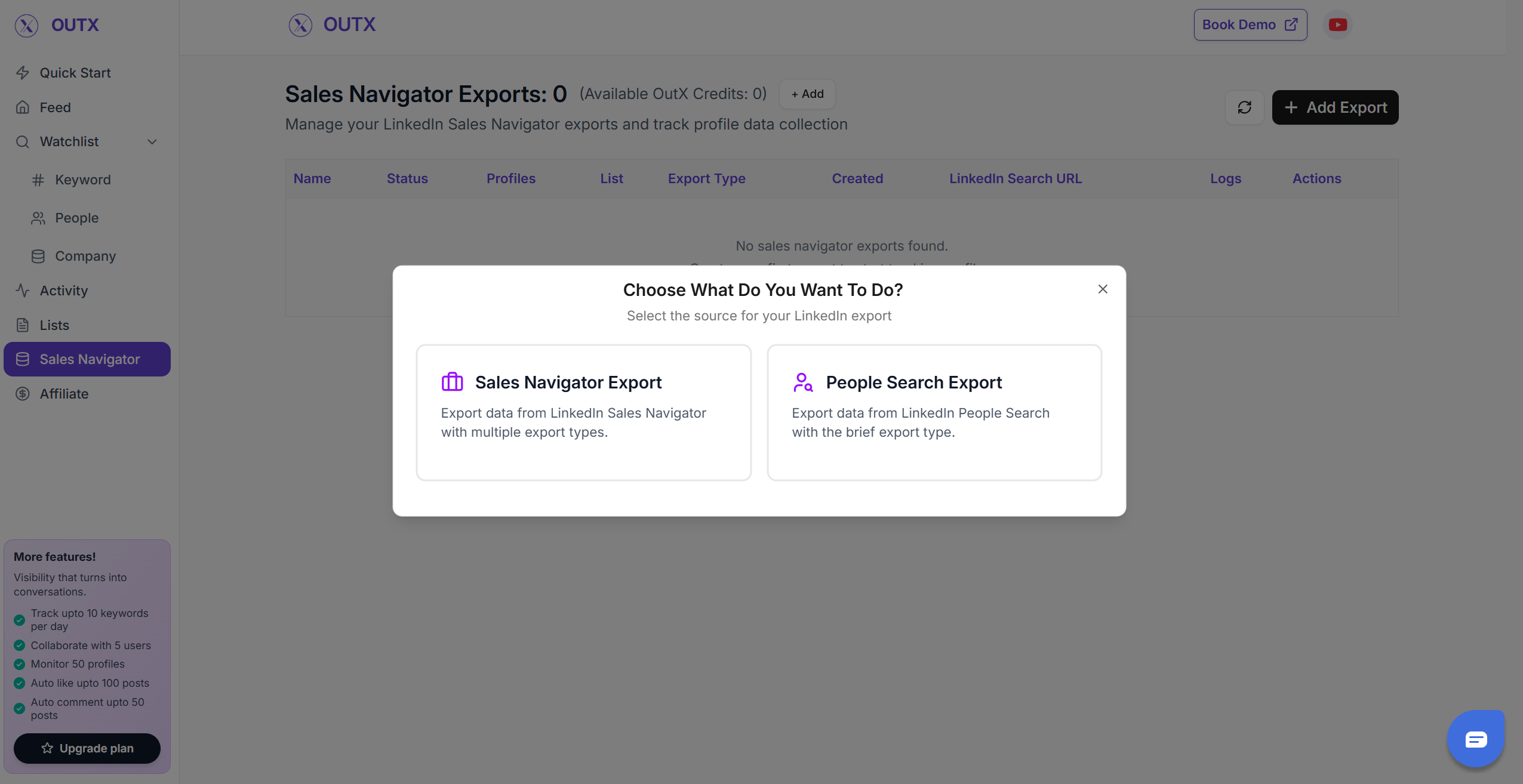
1. Select the “Type of export”
Select what you want to export from LinkedInSales navigator export
- Using this you can scrape the profiles from LinkedIn sales navigator scraper
- You can Copy the sales navigator URL or press export on the page.
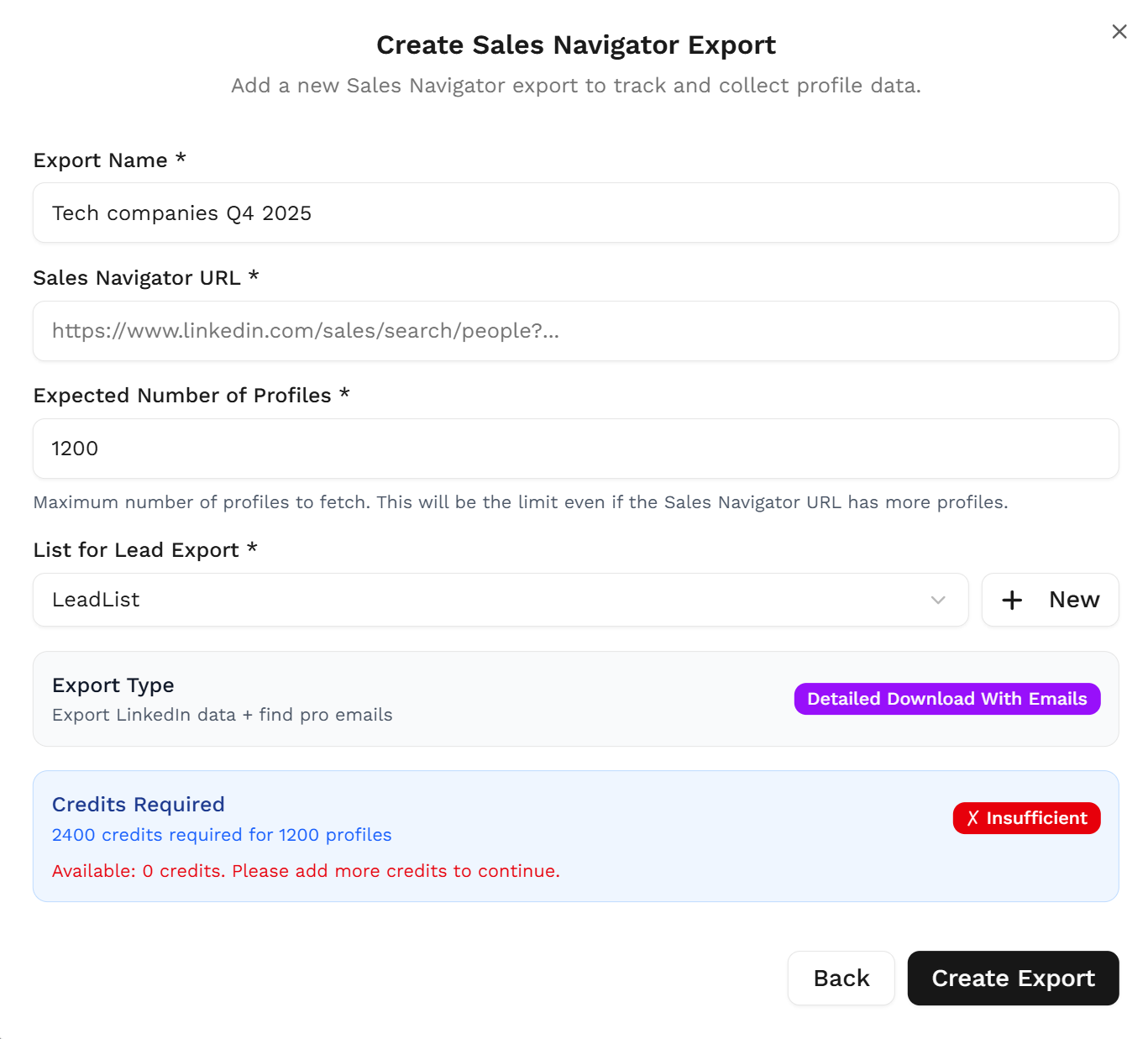
2. Create your Sales Navigator lead list
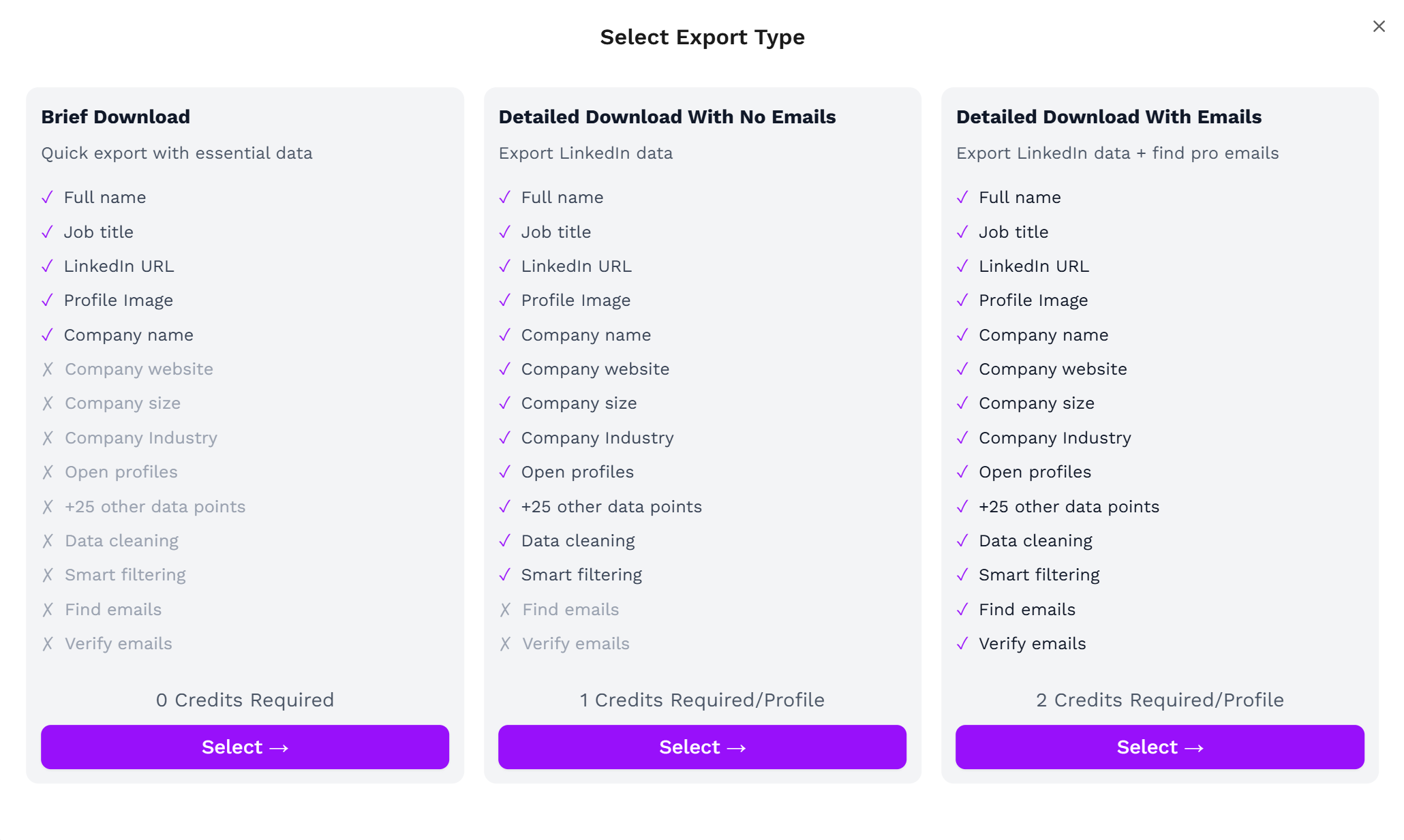
Once the Chrome extension is installed, go to the list of leads you want to export. It can be:- Brief Download
- Detailed Download With No Emails
- Detailed Download With Emails
3. Download your cleaned list
After the extraction is done, you will get an email. This email will have a link to download your lead list in a CSV file.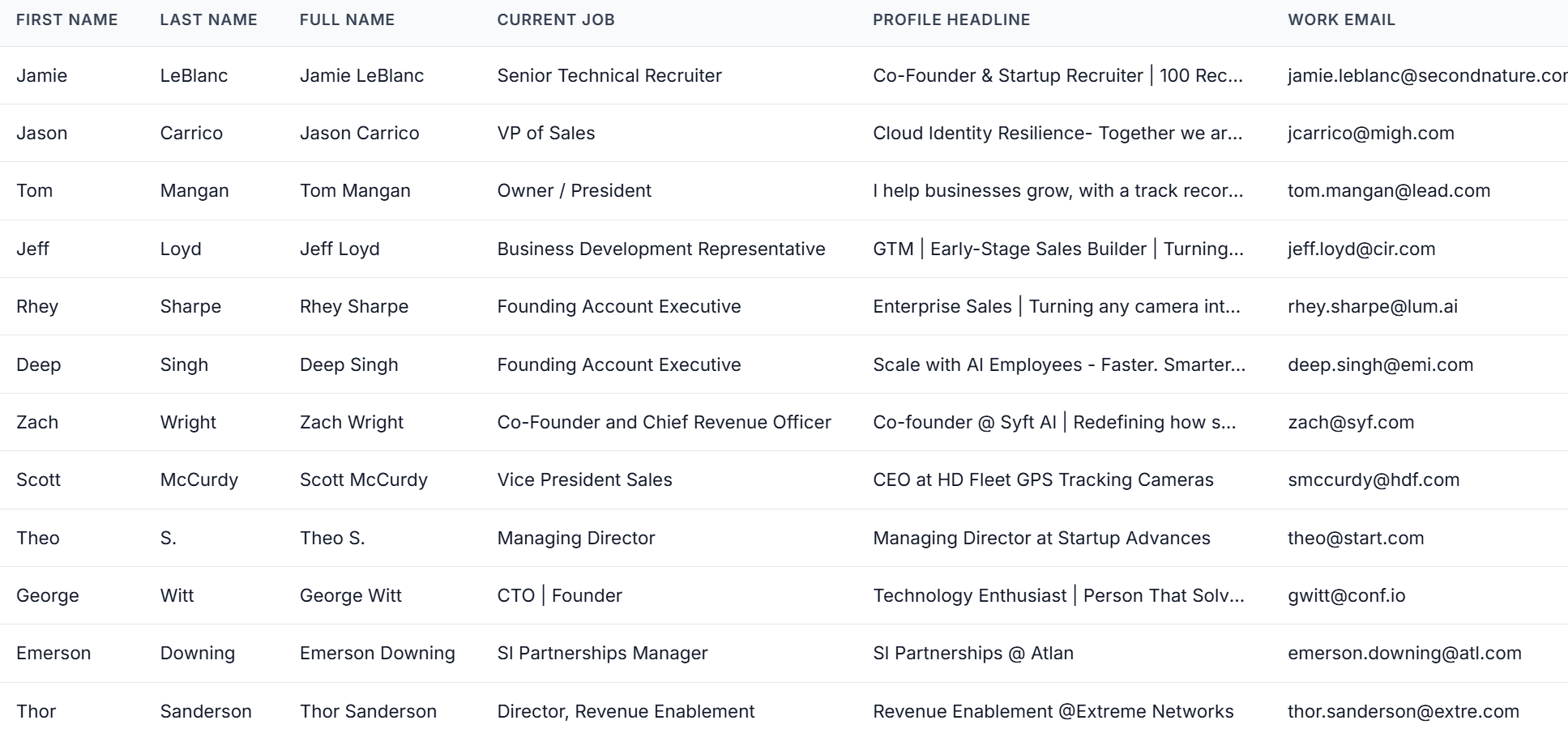
- First names
- Last names
- Company names
- Job titles
Frequently Asked Questions
Do I need a Sales Navigator subscription to export leads?
Do I need a Sales Navigator subscription to export leads?
Is exporting leads from Sales Navigator a native LinkedIn feature?
Is exporting leads from Sales Navigator a native LinkedIn feature?
How many leads can OutX export at once?
How many leads can OutX export at once?
OutX can export up to 2,500 results per Sales Navigator search. For standard LinkedIn People Search, exports support up to 2,500 results per search as well.
Is the export safe and compliant?
Is the export safe and compliant?
Yes. All data comes directly from your own LinkedIn session, keeping the workflow GDPR-compliant and secure.
Do I need to install a Chrome Extension?
Do I need to install a Chrome Extension?
Yes. The Chrome Extension powers the on-page Export button and allows OutX to fetch data in real time.
What formats can I download the data in?
What formats can I download the data in?
Exports are delivered as CSV files, ready for CRMs, enrichment tools, or cold email sequences.
Does OutX clean the exported data?
Does OutX clean the exported data?
Yes. OutX automatically cleans first names, last names, job titles, and company names to deliver a polished dataset.
Can I export emails too?
Can I export emails too?
Yes. Choose Detailed Download With Emails if you want email fields included (availability depends on LinkedIn visibility).
What is the time to Export LinkedIn sales navigator list?
What is the time to Export LinkedIn sales navigator list?
My export is stuck at 0% - what should I do?
My export is stuck at 0% - what should I do?
If your Sales Navigator export is stuck at 0%, try the following:
- Check your Sales Navigator subscription - You need an active LinkedIn Sales Navigator subscription for this feature to work
- Check the Chrome extension - Make sure the OutX extension is installed, enabled, and your browser is open
- Check LinkedIn login - Ensure you are logged into LinkedIn in the same browser where the extension is running
- Try refreshing - Close and reopen the export page, then try again
- Try a smaller search - If your search has thousands of results, try narrowing it down and exporting a smaller batch first
- Contact support - If none of the above works, email support@outx.ai with your export URL and we’ll investigate
Can I export accounts (companies) from Sales Navigator?
Can I export accounts (companies) from Sales Navigator?